LEVEL DESIGN
My level design work from every project, favorites first.

LEVEL DESIGN

Level Design Process: The Joint Levels
Brainstorm
This is where I throw ideas at the wall to shape 3 different levels around the same mechanic. I draw quick iterations with minimal detail to see which ideas stick.
A Few Iterations of the Brainstorm
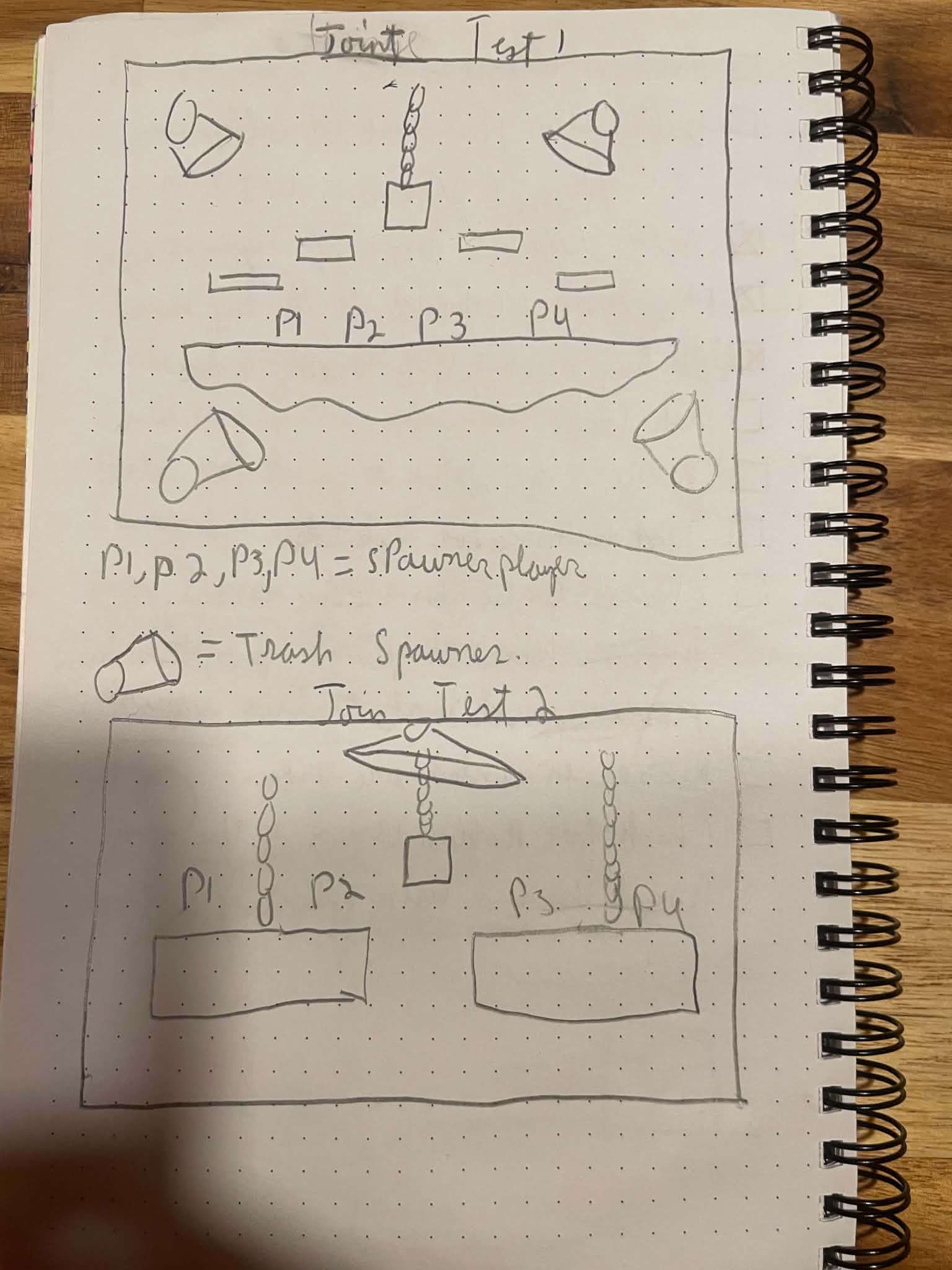

The vast majority of the mechanics used in the game's levels were created by me.
I threw every idea at the wall to see what would stick.
I kept the concepts that supported the physics-based chaos that defines the game. I then kept the ideas that were easy enough to implement but delivered the most fun, as well as the ideas I simply liked too much to pass up (monster trucks).
On the left are a few examples of quick sketches I made while brainstorming.
I then taught myself how to create polished backgrounds. They needed to remain easily readable, so I designed them to clearly show players what they can and can't walk on.
I also received guidance on 2D video game background theory from Angeline Beaulieu, background artist at Woodrunner Games. You can view her work on ArtStation, here's a link: https://www.artstation.com/angelinebeaulieu


LEVEL DESIGN
I created documents to help visualize the level design from a bird's-eye view (top-down). I used the described obstacles and placed them into this simplified representation of the game world.
I also created the levels using Synty's Island asset pack! I had to build the layout using Unreal Engine's landscape tool.
I made sure the obstacles I placed were not too difficult to complete, since my target audience was around 9 to 12 years old.
Beach Design

Forest Design

Beach Implementation

Forest Implementation

LEVEL DESIGN
I took care of the level design of the main level, The menu, and the shop. I had to conceptualize each scene and figure out with the artists and the programmers how to make each idea possible.
Menu

Main level

Shop
